I'm an Attendee, how do I use Gamification?
Gamification in PheedLoop Go! lets you earn points by completing fun event activities like checking in to sessions, visiting exhibitor booths, or participating in challenges created for your event. As you explore, your progress updates automatically, and you can track your standing on the live leaderboard within the app. This guide will help you understand how to access the gamification tools, complete tasks, and make the most of the interactive experience throughout the event.
Quick Tip - Be sure to review the Instructions tab on the Gamification page for any guidance provided by your event organizer.

Redeeming a Gamification Code
Gamification can be accessed directly from the PheedLoop Go! Event App. The distribution of codes is determined by the event organizer. In most cases, QR codes are hidden throughout the event for attendees to find. If you’re unsure how codes are distributed, check with the organizer for details on how they’ve set up their gamification experience.
To redeem a code:
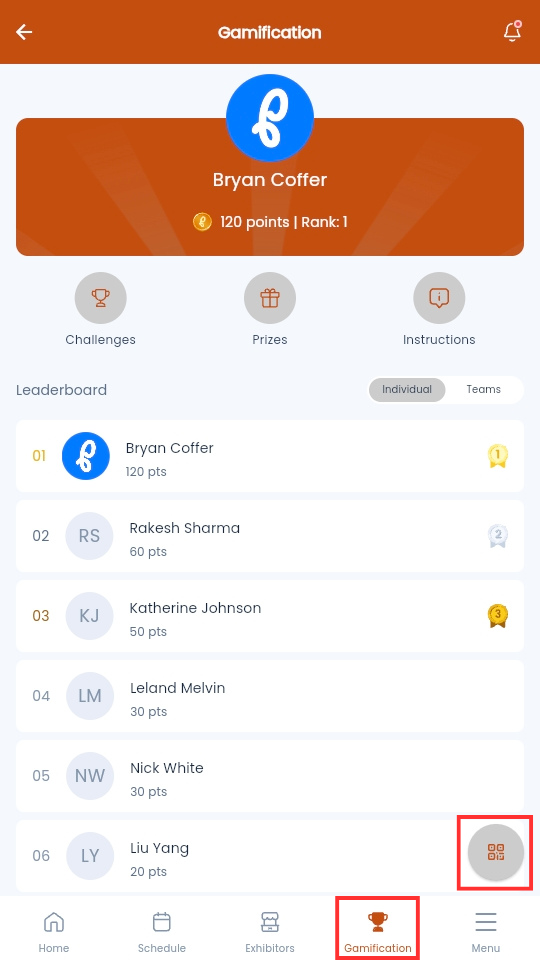
- From the Mobile Event App, navigate to Gamification
-
Select QR Code icon at the bottom right
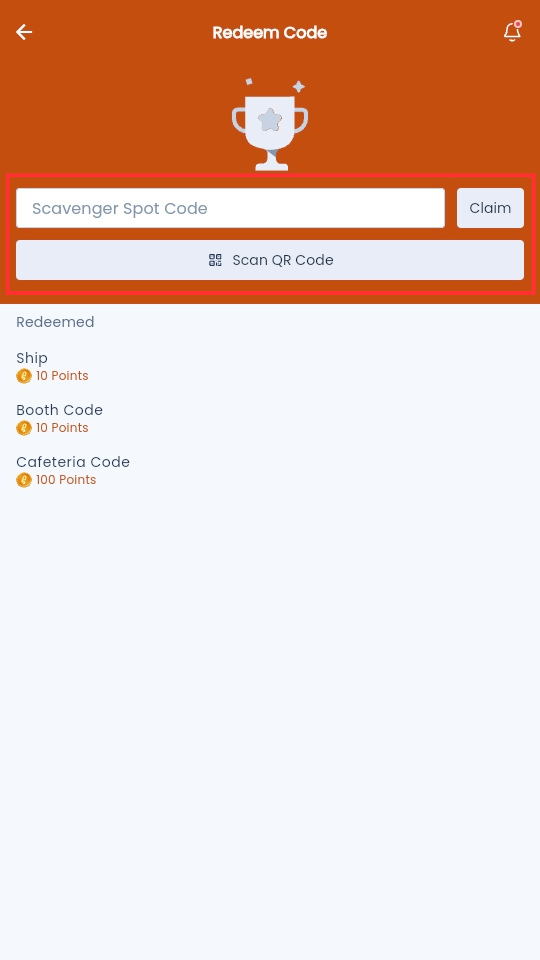
- Fill out the Enter Text Code field, then select Claim
-
Or select Scan QR Code to turn on your device's camera and scan a QR code.
-
Claiming a Prize
Once you’ve collected enough points, you may be able to redeem them for prizes offered at your event. The rewards available, along with any rules for claiming them, are determined by the event organizer.
To claim a prize:
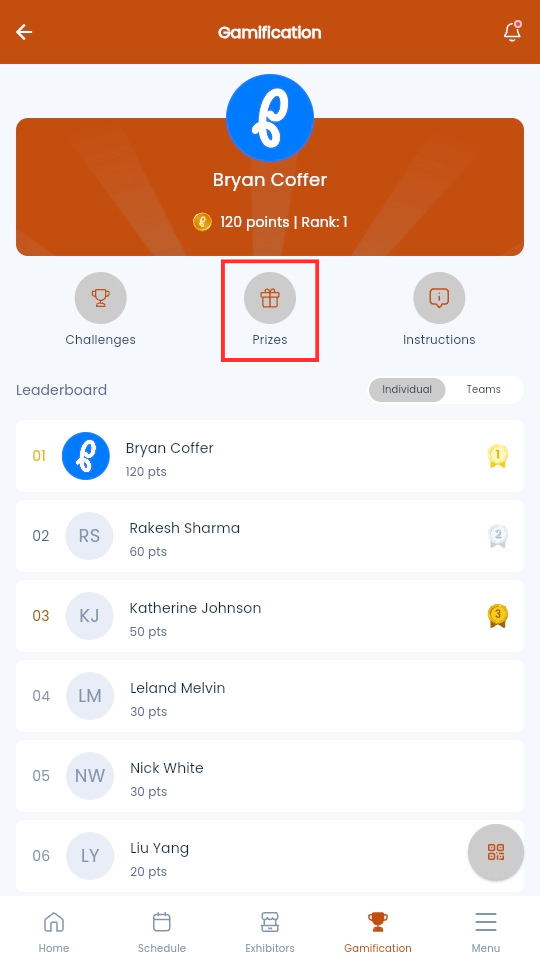
- From the Mobile Event App, navigate to Gamification
-
Select Prizes
-
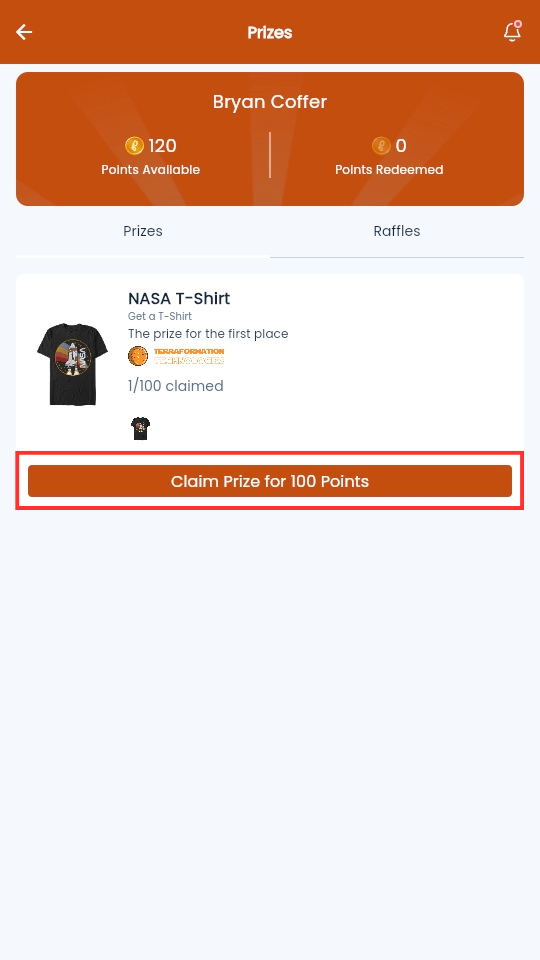
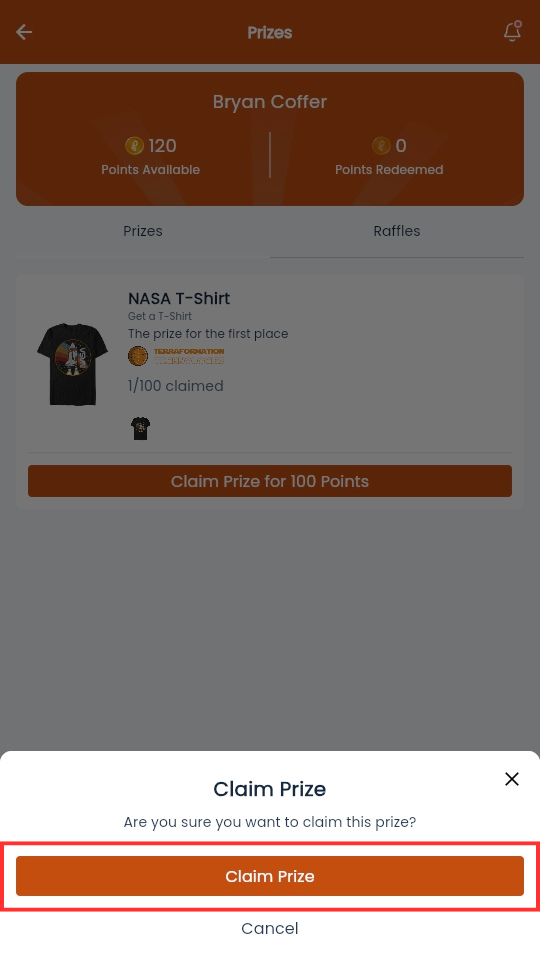
Navigate to the prize you want to claim and select Claim Prize for [number] Points
-
Select Claim Prize
Challenges and Leaderboard
Gamification in PheedLoop Go! comes with a built-in leaderboard and additional challenges (determined by the event organizer).
Leaderboard
The Leaderboard section will list the points of all participants in descending order.

You can also view how teams are performing by switching to the Teams tab.

Challenges
The Challenges section lists challenges set up by the event organizer.

Attendees will be able to partake in the following challenges for points:
| Challenge | Description |
|---|---|
| Scavenger Hunt | A scavenger hunt is an interactive game where attendees scan QR codes placed throughout your event to earn points. Organizers configure the codes, point values, and rewards, and participants track their progress directly in the PheedLoop Go! Event App. |
| Photo Challenges | Photo challenges allow attendees to complete tasks by submitting photos through the PheedLoop Go! Event App. Organizers set the prompts and approve submissions, and participants earn points or rewards as their photos are reviewed. |
| Actions | Actions are customizable tasks attendees can complete, such as visiting booths, attending sessions, or engaging with event features, to earn points or rewards. Organizers define each action and its value, and participants track their progress in the PheedLoop Go! Event App. |