I'm using the Event App, can I check myself into sessions as an attendee?
It depends; your Event Organizers determine the option to check yourself into a session. If the Event Organizer has allowed self check- ins, all you need to do is open your session on the Event App and select Check In. You will then have the option to scan the self check-in QR code or enter a case-sensitive text code (if enabled) to check yourself into the session.
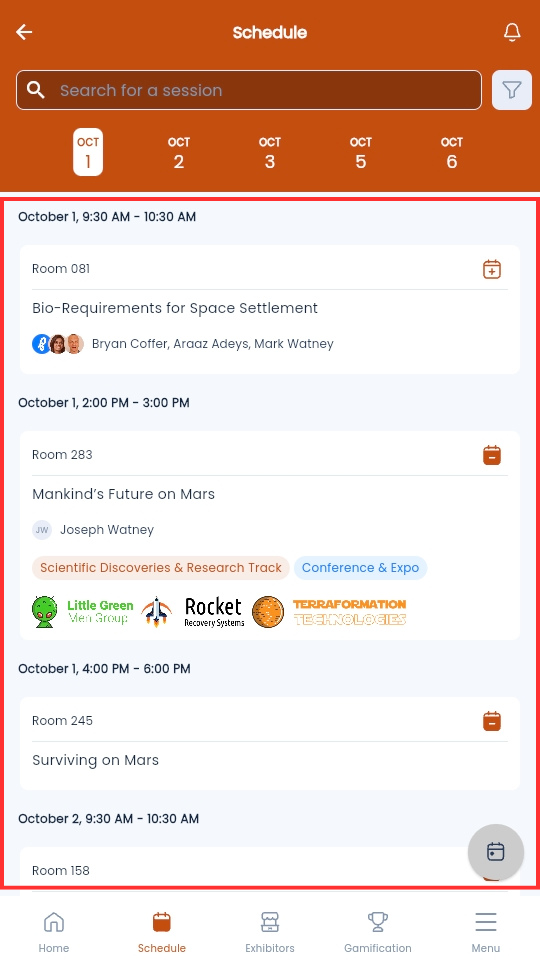
- From the Event App homepage, select Schedule
-
Select the session you wish to check yourself into
-
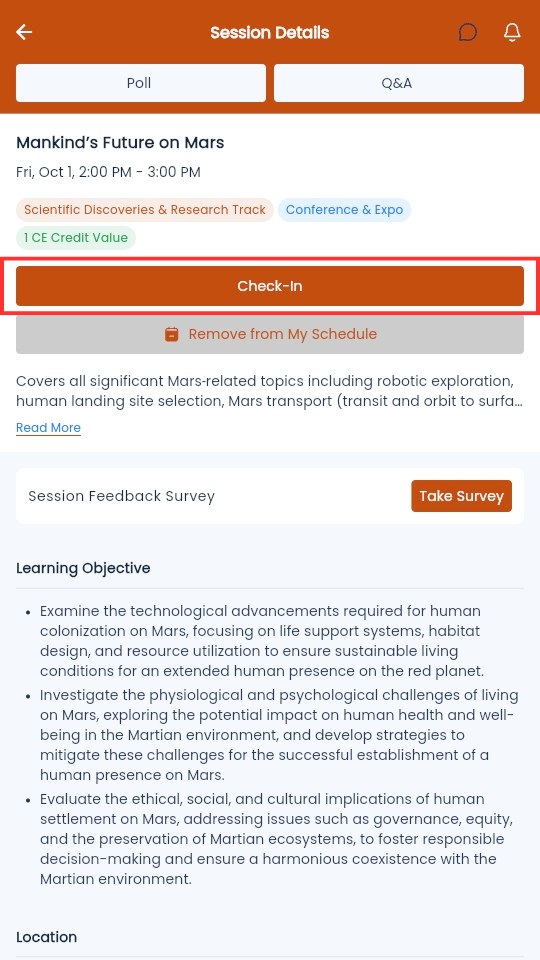
On the session page, select Check-In
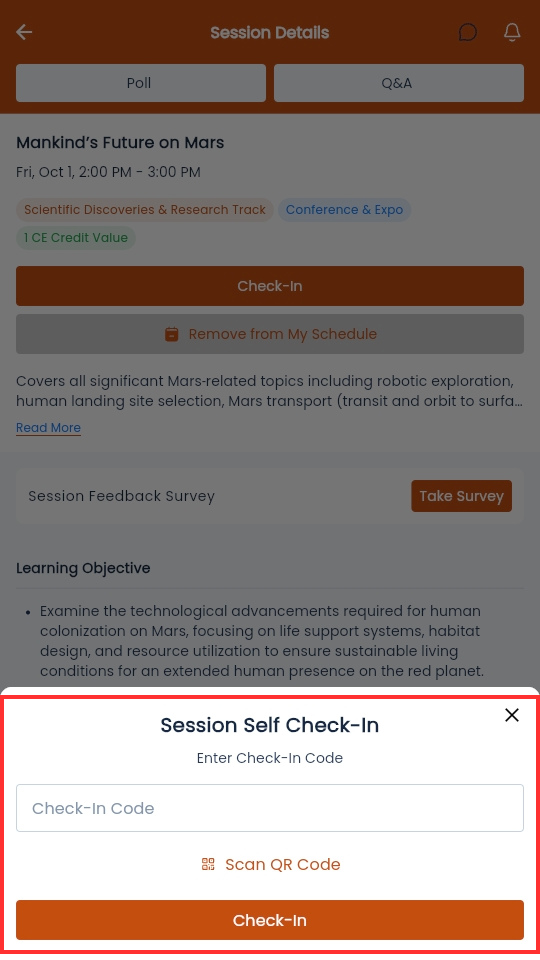
- Select Scan QR Code and scan the QR code with your device
-
Alternatively, enter the Self Check-In code in the Check-In Code field and select Submit
-
