I'm an Attendee, how do I report a post or attendee on PheedLoop Go!
One of the ways attendees can contribute to moderation is with the Report button. If an inappropriate post is made on the Event Feed, attendees are able to flag the post to the Event Dashboard for a team member to review. If the post violates the terms and conditions of the event, it can be removed by an Event Administrator.
Reporting posts as an Attendee
- From the Event App’s home page, navigate to Event Feed
- Scroll down to the offending post
-
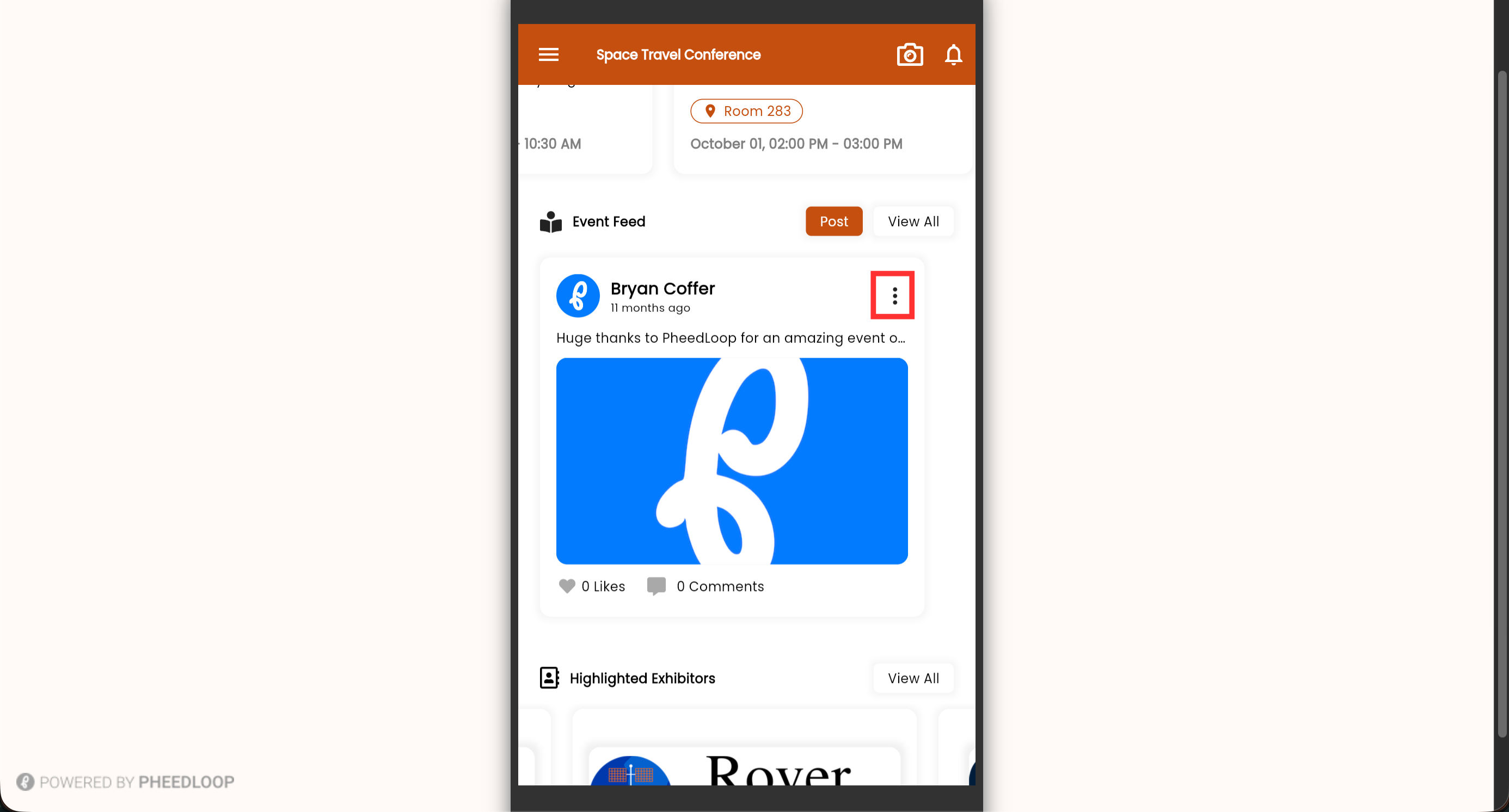
Select the 3 dots on the top right corner of the post
-
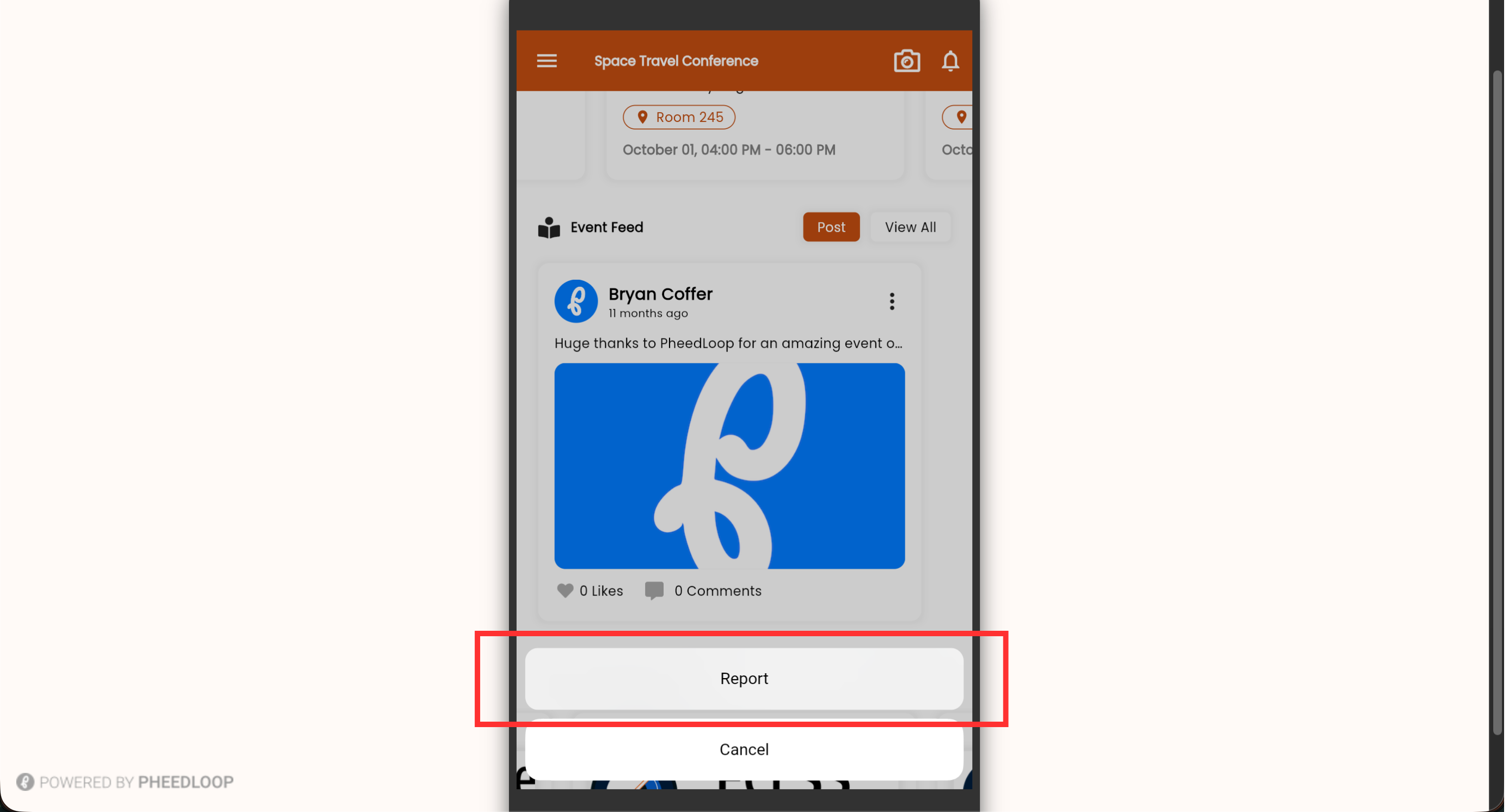
Select Report
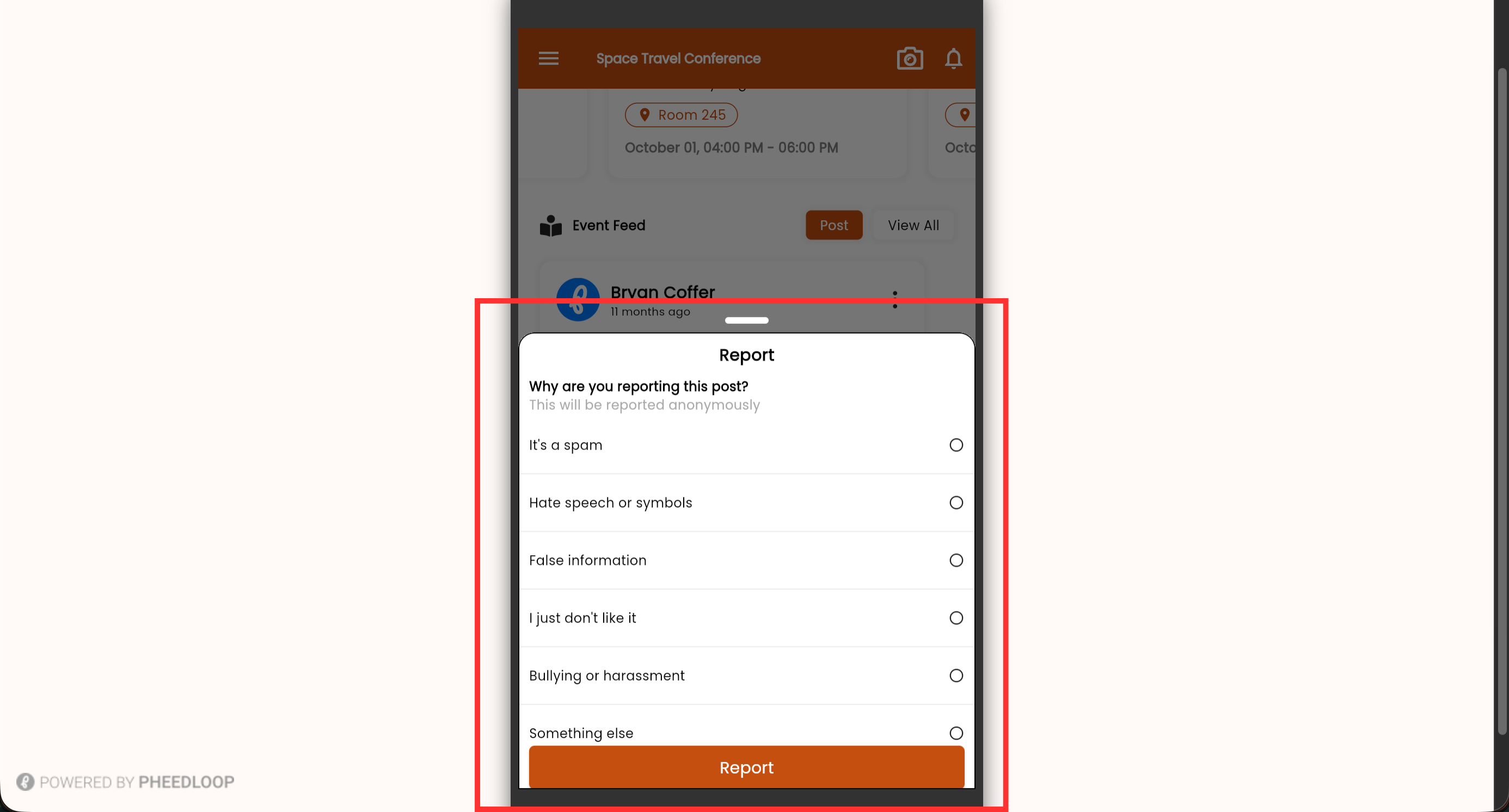
- Select the reason you are reporting the post
-
Select Report
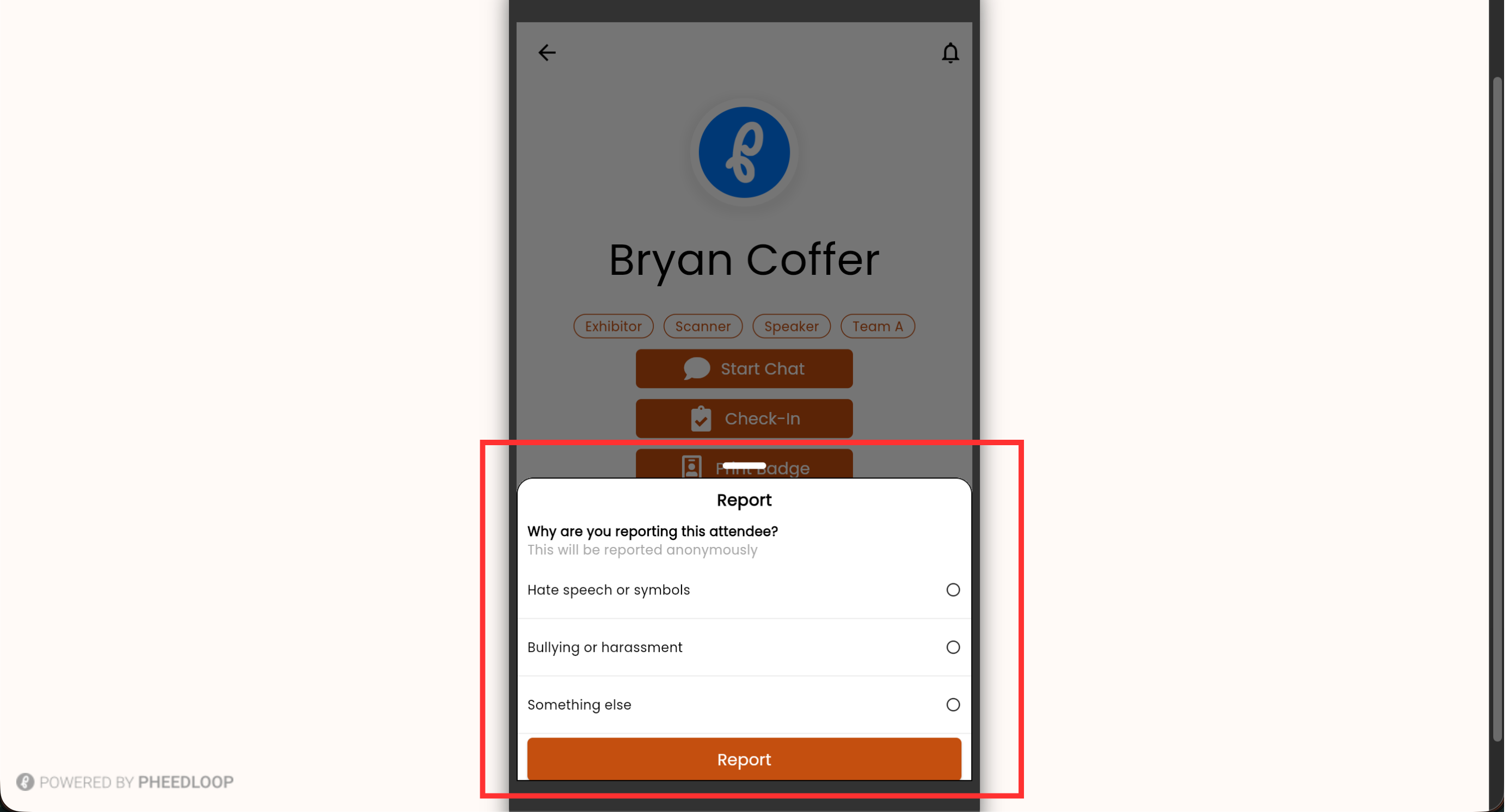
Reporting Attendees as an Attendee
Attendees can also be reported in the Event App just as posts can.
-
From the Event App’s menu page, navigate to Attendees
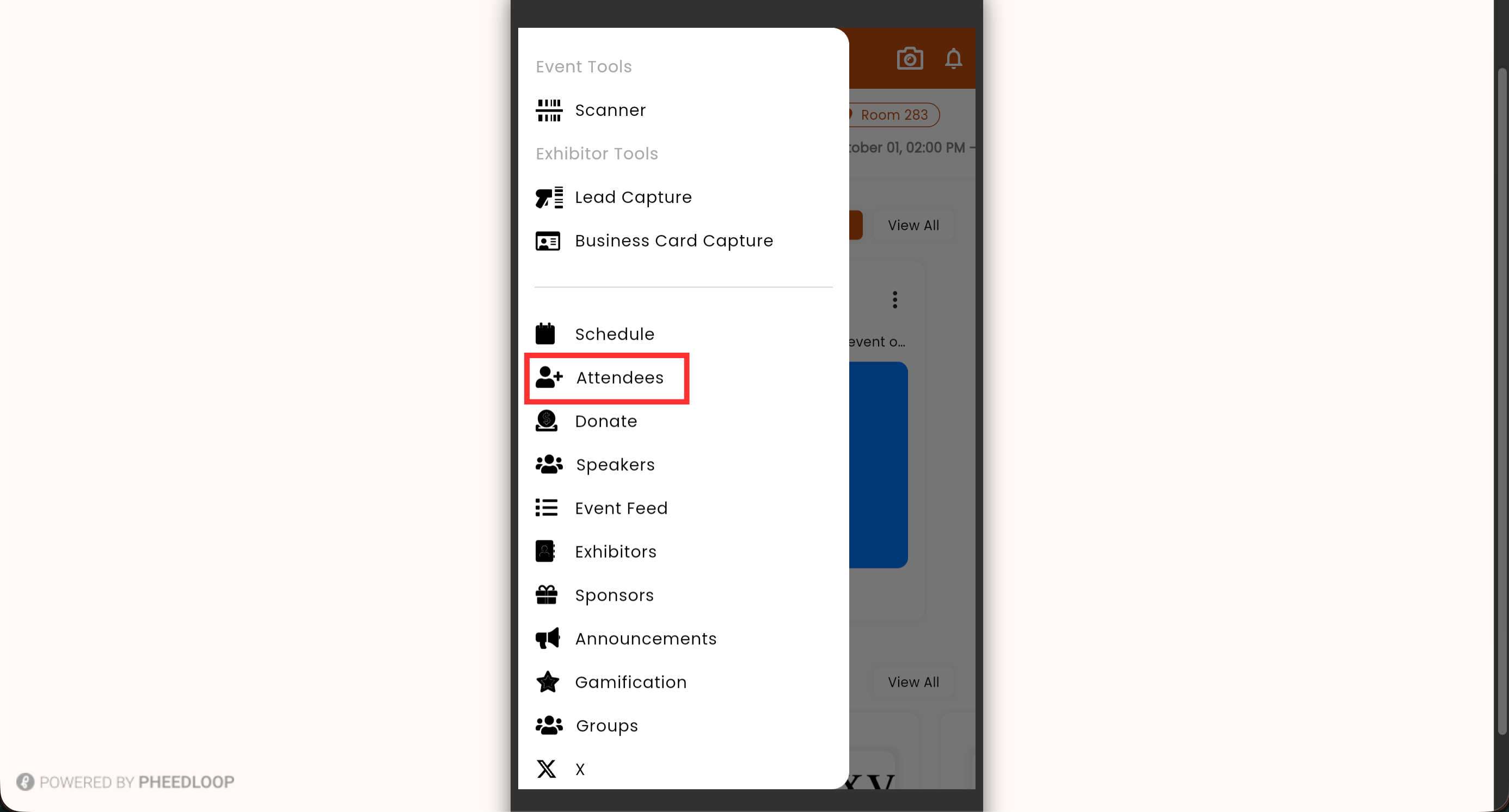
- Select the offending Attendee
- Select More Options
-
Select Report
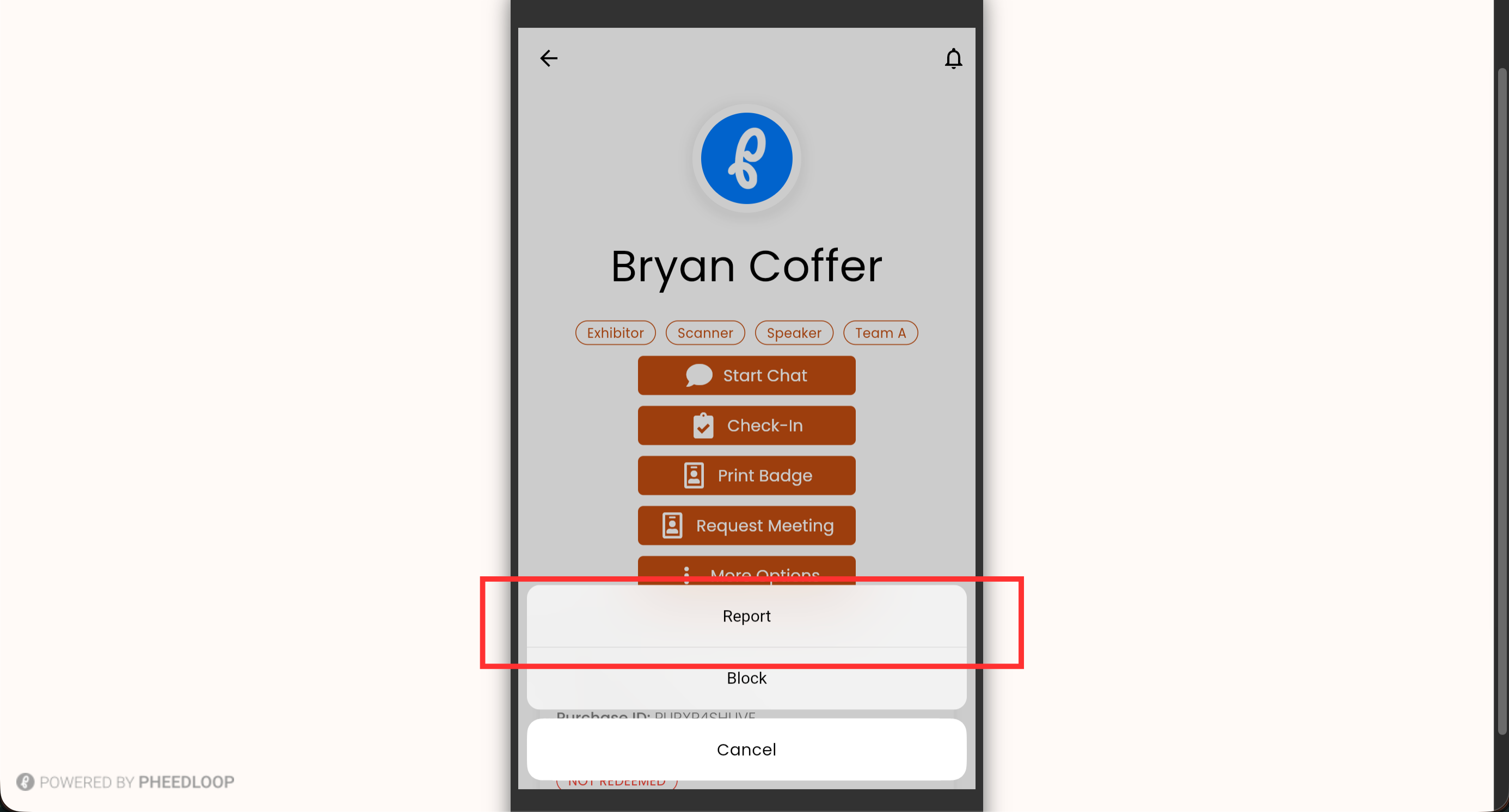
- Select the reason you are reporting the post
-
Select Report